
ArchMM
Architectural scale, without the guesswork.
Convert full-size feet and inches into model millimeters—or work backward from a model measurement.
Available now · iPhone

Move between the drawing and the model.
Choose your architectural scale and work in the units you actually use.
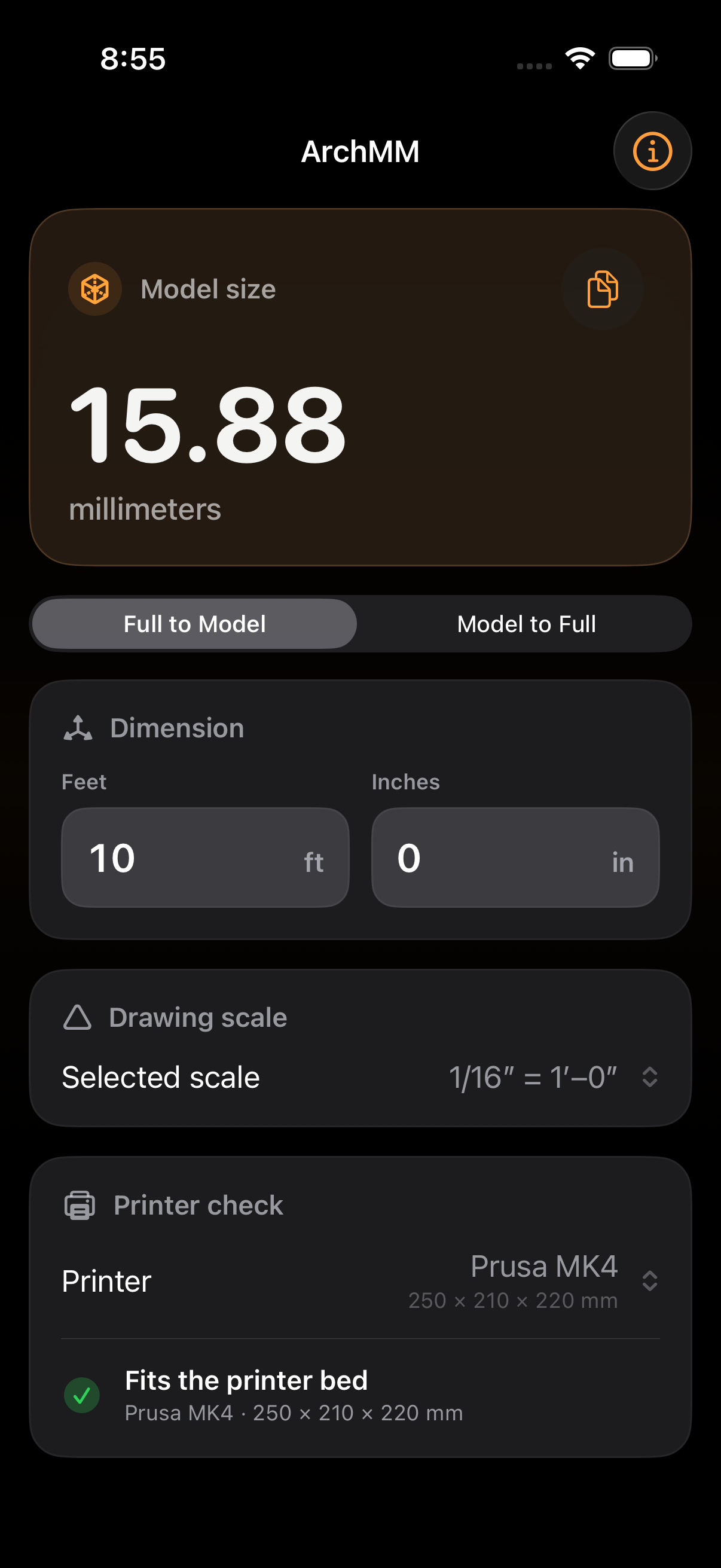
Full size to model.
Enter feet and inches to see the model measurement in millimeters at your selected scale.
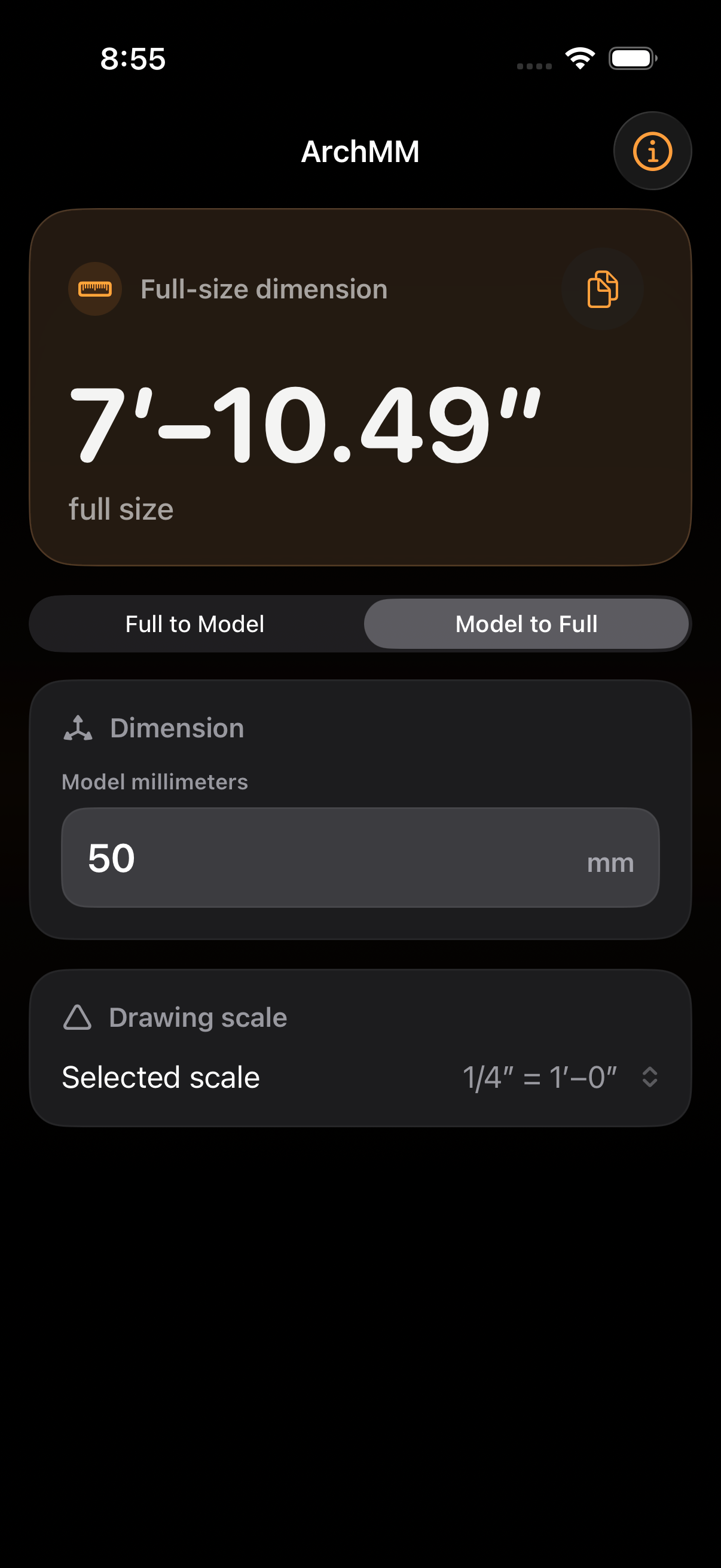
Model to full size.
Recover the full-size dimension from a model measurement when you need to check or revise a piece.
What you can do.
Architectural scales
Choose full size or common architectural scales through 1/16″ = 1′–0″.
Printer-bed checks
Compare the converted length with familiar printer presets before preparing the print.
Offline use
No account or network connection needed. Your selected scale and printer stay on the iPhone.
Frequently asked questions.
Which architectural scales are supported?
ArchMM supports full size and common architectural scales through 1/16″ = 1′–0″, converting in either direction between full-size dimensions and model millimeters.
Can I check whether a model fits my printer?
Included presets cover common Prusa, Bambu Lab, Creality, Ender, and Anycubic beds. Always confirm orientation and clearances in the slicer before printing.
Does ArchMM work offline?
ArchMM works without an account or network connection and keeps the selected scale and printer on the iPhone.