
Reference Rover for macOS

RefRo

Research with a memory.

RefRo keeps the source, context, and creative decisions attached to every image—then turns your strongest references into presentation-ready mood boards.

Coming to the Mac App StoreSee how it works
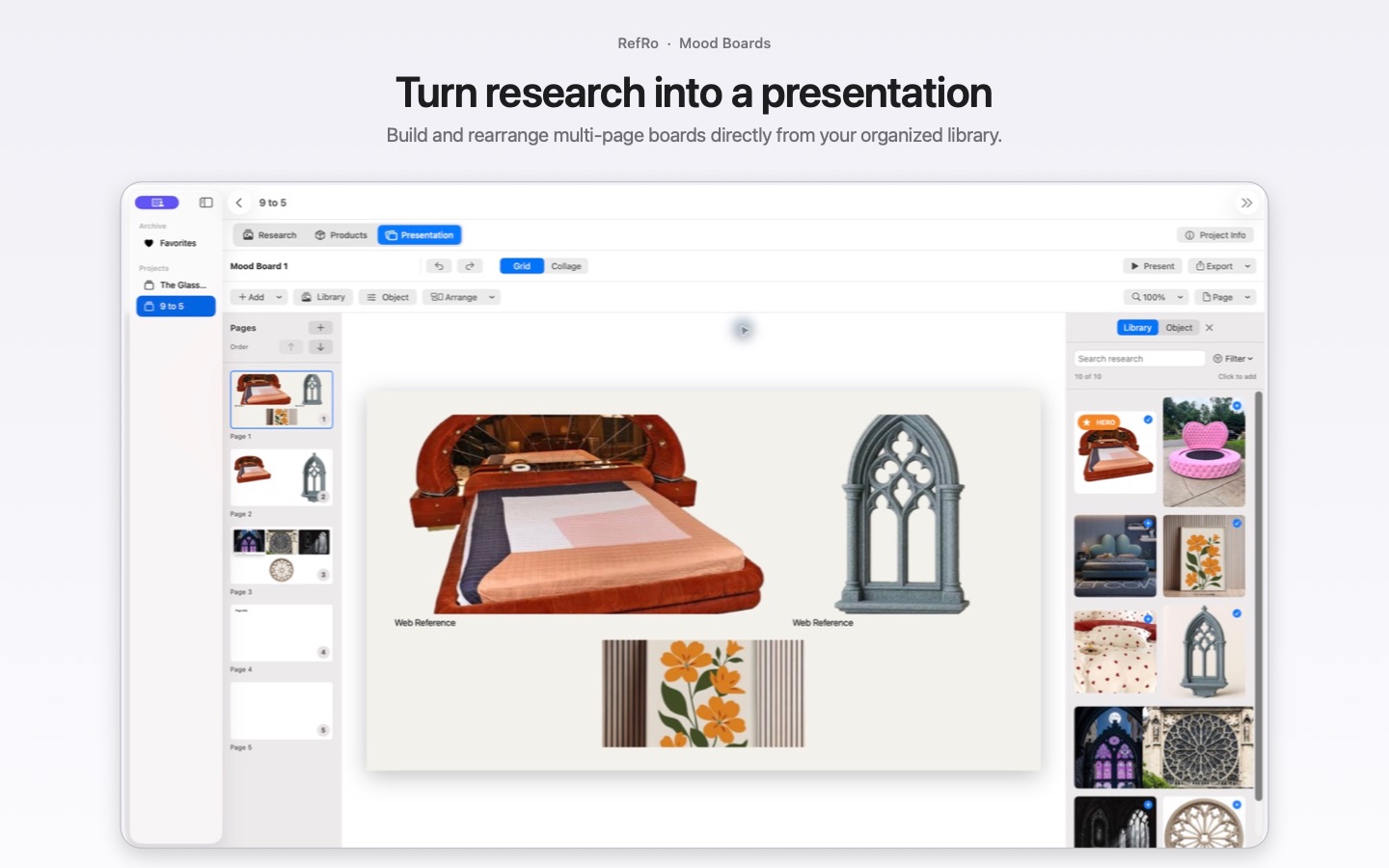
RefRo mood-board editor with multiple pages, research images, and layout controls.

Collect

Every reference keeps its story.

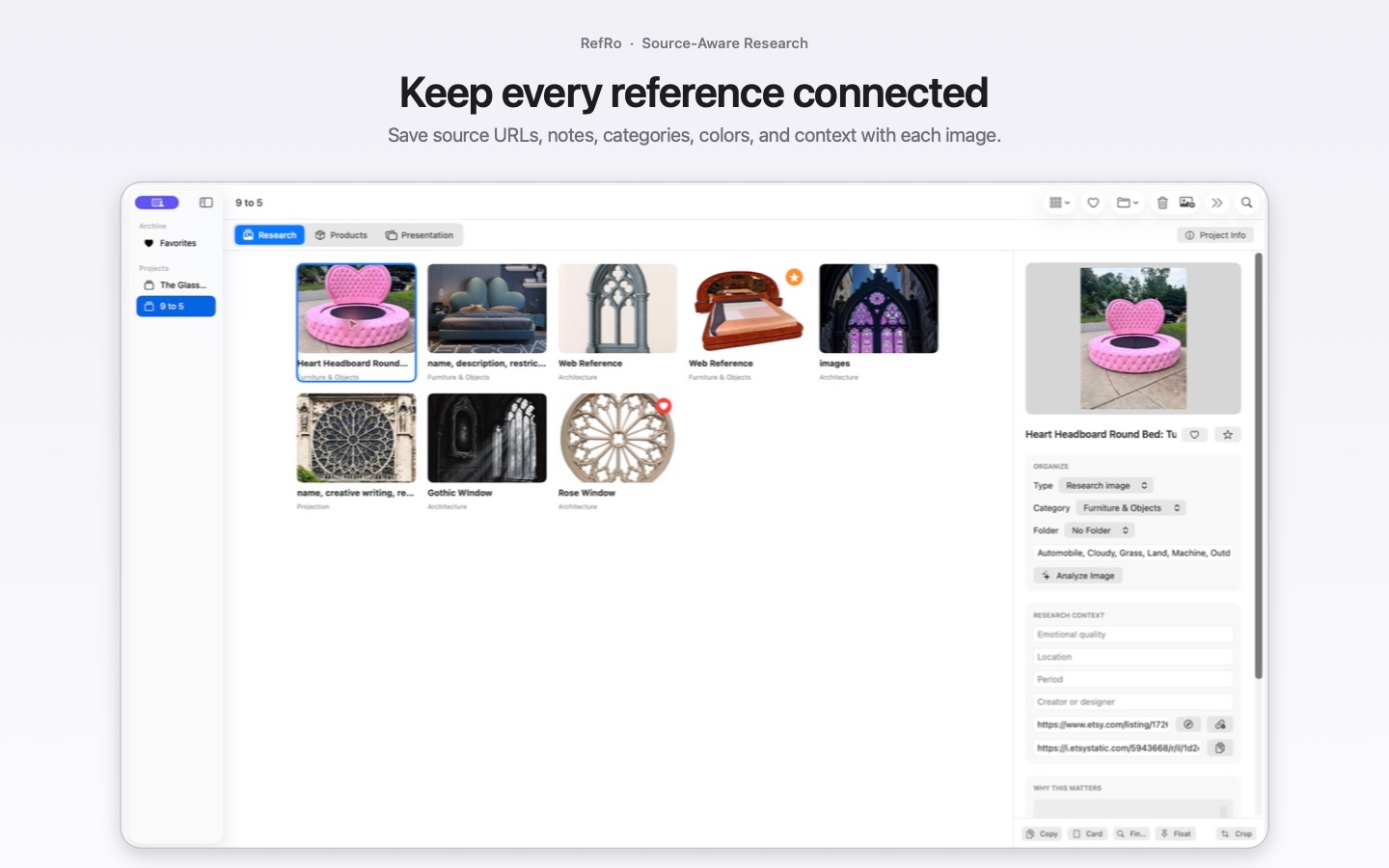
Bring images in from Safari, Chrome, Finder, or the RefRo Dock icon. RefRo keeps the source page, image address, date added, creator, location, notes, categories, color, and other useful context with the image—so research does not become an anonymous folder of files.

  • Capture the current browser page with one click
  • Save source and direct image addresses when websites provide them
  • Add rights, attribution, period, emotional quality, and creative notes
  • Open a saved source or start a reverse-image search from the reference
RefRo research library showing organized image references in a Mac project.

Organize

Build an archive you can use again.

Create projects, folders, subfolders, and your own categories. Search and filter by the information that matters to you, mark favorites and hero images, and carry the references you love into the next project without losing their context.

  • Custom categories, tags, folders, and subfolders
  • Favorite and hero-image collections
  • Multiple library views for different stages of research
  • Copy or drag images into other Mac applications
RefRo inspector showing source links, categories, notes, and saved image context.

Specify

Product research without the loose ends.

Keep visual references and practical product information together. Record the retailer, store location, price, currency, product URL, and date checked, then find the item again when a concept becomes a real decision.

RefRo product research view with images and product details stored together.

Present

Move from research to room.

Turn selected references into a multi-page presentation. Start with an automatic grid or work freely in collage mode, then crop inside frames, resize, rotate, caption, align, and space objects with the control of a native Mac app.

  • Automatic grids and freeform collage layouts
  • Adjustable crops, frames, borders, shadows, and captions
  • Full-screen presenting from RefRo
  • PDF, Keynote, PNG-page, and flattened-PSD export
RefRo mood-board editor with multiple pages, research images, and layout controls.

Communicate

Let one image carry the details.

Create a reference card that pairs an image with the information your collaborators need. Use it in presentations, design documents, and the rest of your creative workflow without rebuilding the context by hand.

A data-rich reference card created in RefRo for use in another design document.

Find

Organization that starts for you.

RefRo uses Apple Vision to suggest searchable image labels. On supported Macs, Apple Intelligence can refine those signals into concise reference names. Analysis happens on the device after import.

Made for the Mac

Your research belongs to you.

No advertising, behavioral tracking, or developer-operated analytics. Your library stays on your Mac and, when iCloud sync is enabled, within your own iCloud account.

Read the privacy policy

RefRo for macOS

Keep the image. Keep the idea behind it.

Build a source-aware visual archive and turn the strongest references into presentations—all without leaving your Mac.

Coming to the Mac App Store