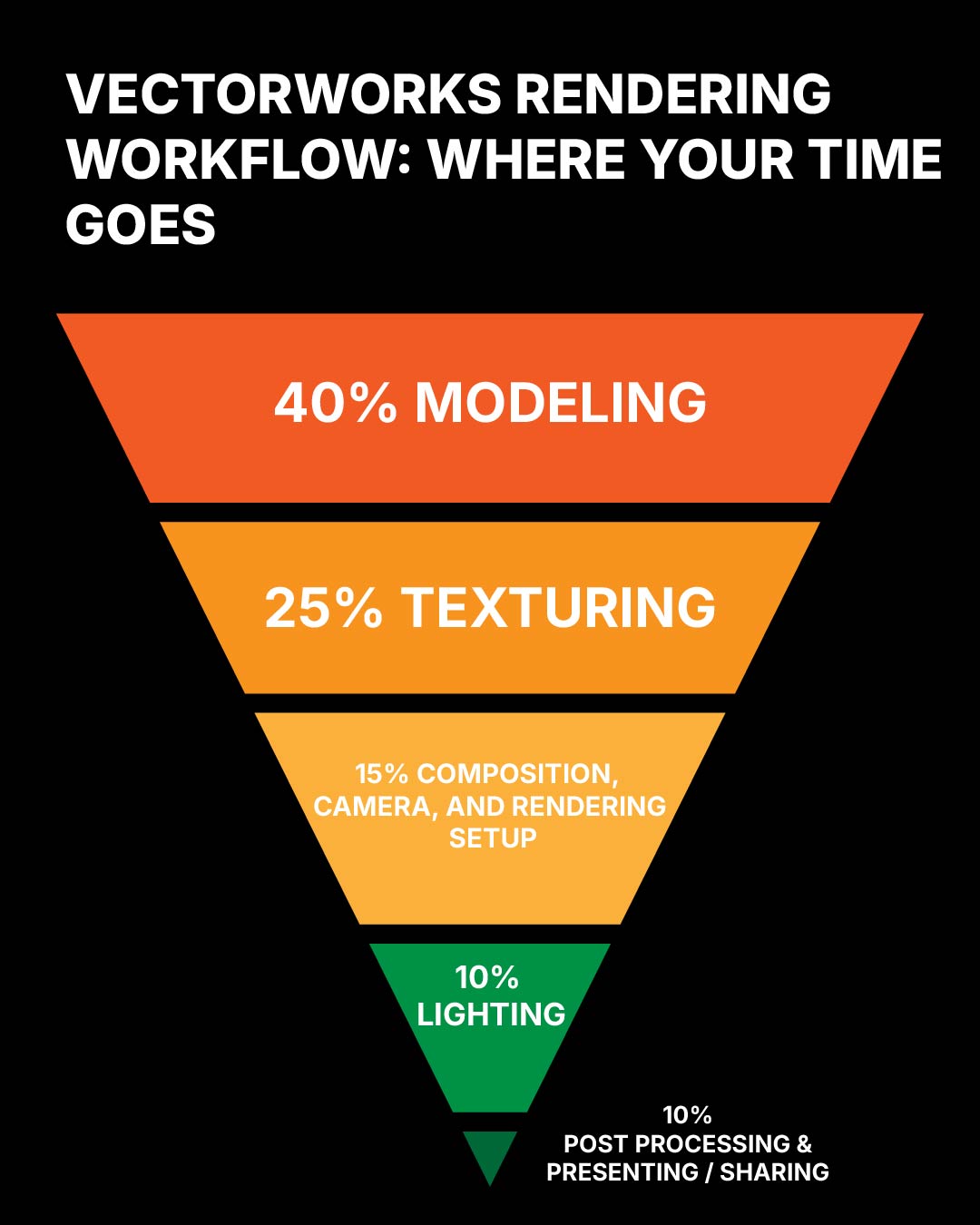
A rendering workflow is a time-management system. In Vectorworks, the goal is not simply to make one final image look good; the file has to stay responsive while the scenic idea is still changing. If every orbit, texture swap, camera adjustment, or lighting test takes too long, the technology starts deciding how much design exploration is possible.
The healthiest workflow protects the hours that matter most: building the model, testing composition, assigning materials, and checking light. Rendering should be the result of those decisions, not the moment when the file suddenly becomes too heavy to keep working.
Imported models can steal the schedule
Imported 3D models are often where a rendering file starts to slow down. SketchUp models are especially tempting because they can fill a scene quickly, but they often arrive with hidden costs: nested groups, excessive faces, repeated components, oversized textures, and object organization that was never built for a scenic Vectorworks file.
That does not make SketchUp models unusable. It means they need to be treated as source material, not finished scenery. A warehouse chair, window, molding profile, or prop may be useful as a reference, but the imported object should earn its place in the file. If it is too dense, too messy, or too texture-heavy, it will slow the rendering process before lighting even begins.
- Use imported models for scale, shape, and reference value, then simplify aggressively.
- Delete unseen backs, bottoms, nested leftovers, and excessive small geometry that the camera will never read.
- Convert repeated objects into symbols so Vectorworks can reuse the resource instead of carrying separate copies.
- Downsize texture maps before they become part of the working file.
Choose the handoff before import
File cleanup starts before the model enters Vectorworks. If the import brings in every material folder, nested component, and mesh object exactly as it came from another program, the Vectorworks file inherits all of that weight. A better workflow decides what the model needs to become before it is imported.
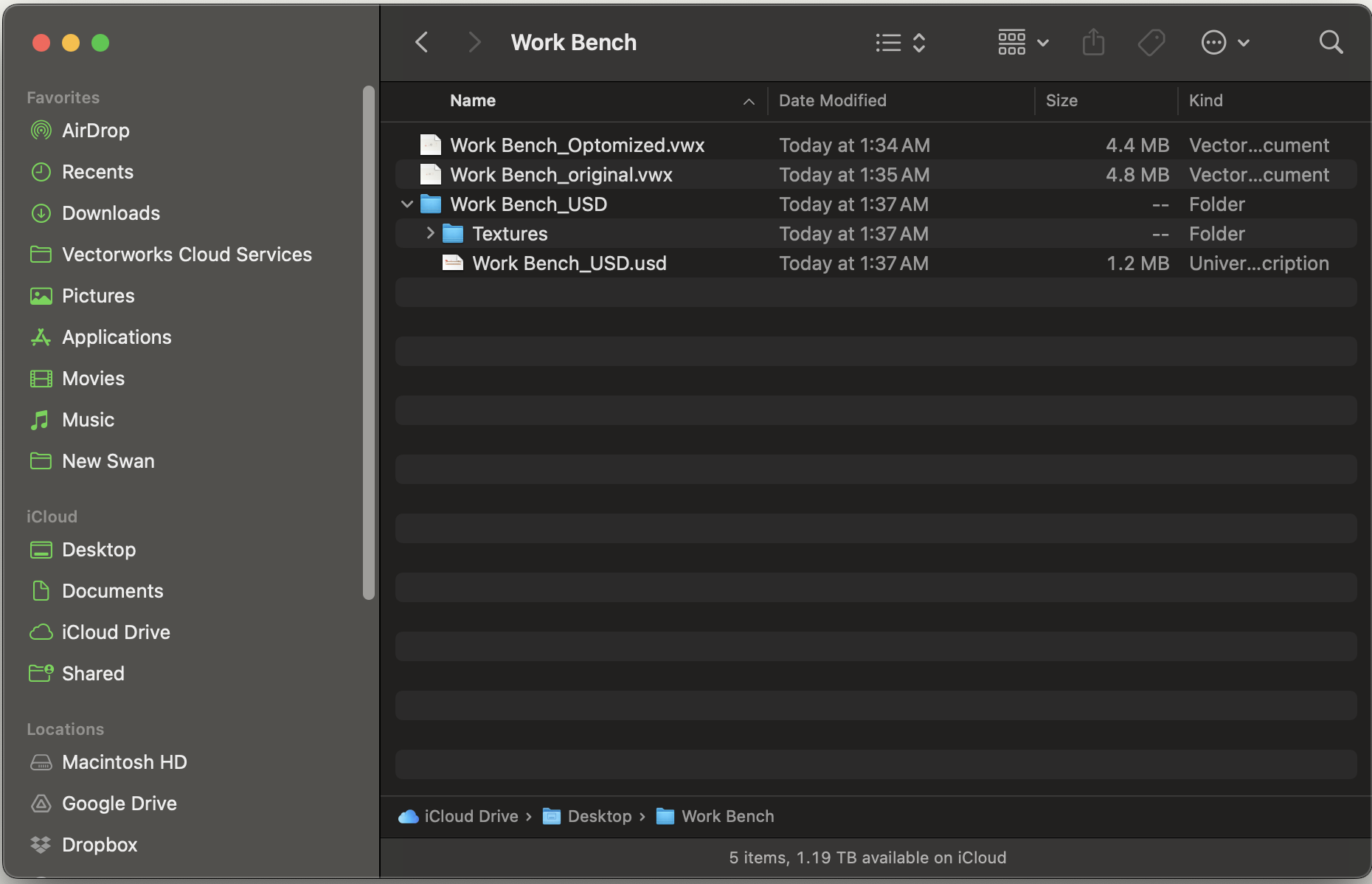
USD and USDZ are useful when the asset needs to travel cleanly
With newer Vectorworks support for USD workflows, USD and USDZ become useful options when a model needs to travel between applications without dragging every part of the original file structure into the working document. USD can be a lighter interchange path when the priority is geometry. USDZ is helpful when the asset needs to keep textures and material references bundled together in a portable package.
USDZ is not magic cleanup. It will not turn a bad model into a good scenic asset by itself. The benefit is that it gives the designer a more controlled handoff: convert the source, inspect the result, then bring the object into Vectorworks only after the file format supports the kind of rendering work that needs to happen.
Simplify imported mesh objects before they become scenery
After import, the model still needs a cleanup pass. Collapse unnecessary class clutter, simplify the mesh as far as the shape allows, ungroup only when it helps reveal usable geometry, and then save the result as a symbol if it will repeat. The point is not to erase detail. The point is to keep only the detail that supports the rendering.
Texture size should match the scenic need
Most scenic renderings do not need every texture to be a 4K image. If a material is tiled across a large surface, a well-made 1024 or 2048 texture can often read clearly while keeping the model lighter. The goal is not maximum resolution everywhere. The goal is the right amount of information in the places the camera can actually see.
When a texture is only supporting a wall, floor, or distant scenic surface, downsize it before importing. JPEG is usually appropriate for compressed photographic texture maps. PNG is useful when transparency or lossless edges matter. The file should not pay for resolution the audience will never read.
Keep the working file for decisions
The workflow file should stay focused on decisions that are still alive: model edits, texture changes, camera tests, lighting adjustments, and rendering style choices. Once the image moves into final presentation, publishing, or post-processing, that becomes a separate step with different priorities.
A small utility can help before the next import
The core habit is still file discipline inside Vectorworks. But if imported models keep becoming the slowest part of the workflow, it helps to add a cleanup step before the asset ever reaches the production file.

A fast rendering file is not less designed. It is designed so the next decision can still happen.